Coordinating church volunteers doesn't have to be chaotic. Discover how digital tools transform volunteer scheduling, communication, and engagement.
Volunteers are the lifeblood of any church. From greeting visitors on Sunday morning to leading children's ministry, organizing worship teams, and running community outreach programs, volunteers make ministry possible. But coordinating a team of volunteers — each with different schedules, preferences, and availability — is one of the most complex administrative challenges a church faces. Digital tools are transforming how churches manage this complexity, making volunteer coordination more efficient and less stressful.
The Challenges of Church Volunteer Management
Managing church volunteers traditionally involves a web of spreadsheets, group texts, phone calls, and emails. The challenges are familiar to anyone who has served as a volunteer coordinator:
- Scheduling conflicts — volunteers have varying availability that changes weekly
- Communication gaps — important information doesn't reach everyone who needs it
- No-shows — volunteers forget their commitments or don't receive reminders
- Burnout — the same people end up serving every week because filling slots is hard
- Onboarding friction — getting new volunteers trained and scheduled is cumbersome
- Last-minute changes — when someone calls in sick, finding a replacement is stressful
These challenges lead to frustration for both coordinators and volunteers. When volunteering becomes more hassle than fulfillment, people stop volunteering. Digital tools address each of these challenges directly.
Essential Digital Tools for Volunteer Management
Digital Scheduling Platforms
Digital scheduling platforms replace spreadsheets and group texts with a centralized system. Volunteers input their availability, and the platform generates schedules that respect everyone's constraints. When changes occur, the system automatically notifies affected volunteers and can even suggest replacements based on availability and role qualifications.
Digital Membership Cards for Volunteer Leaders
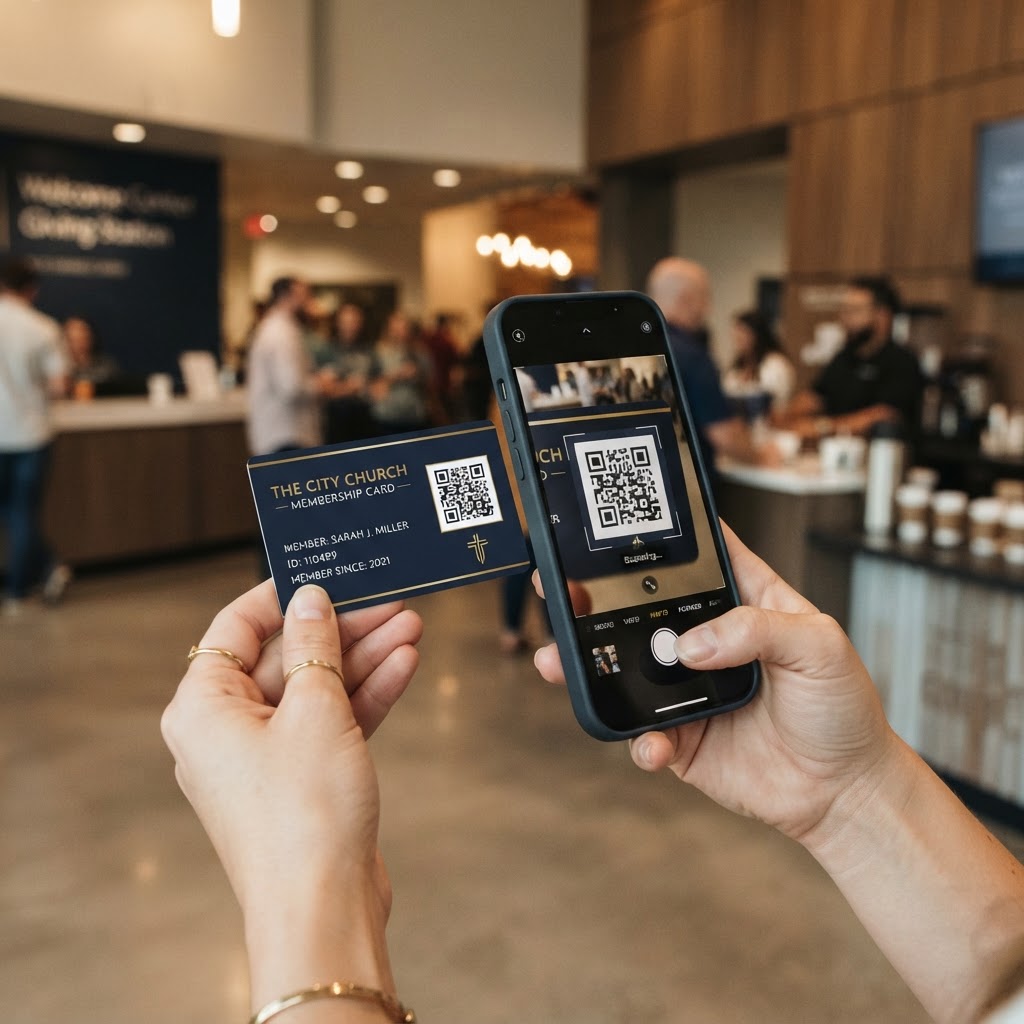
Every volunteer team leader should have a digital membership card. When a volunteer needs to reach their team leader — to ask a question, report an absence, or coordinate a substitute — the leader's contact information is just a tap away. This eliminates the friction of hunting down a phone number or waiting for an email response.
Digital cards can also include role-specific action buttons. A children's ministry volunteer leader's card might include 'View This Week's Schedule,' 'Report an Absence,' or 'Access Training Materials.' These quick-access links reduce back-and-forth communication and empower volunteers to find information themselves.
Group Communication Tools
Volunteer teams need dedicated communication channels. Group text threads work for small teams but become unwieldy as teams grow. Consider using a communication app or platform that allows for organized group discussions, file sharing, and announcement posts. Keep the channel focused on volunteer-related communication to avoid noise.
Training and Resource Hubs
Onboarding new volunteers is easier when training materials are centrally located and easily accessible. Create a digital resource hub — a simple web page or shared drive — that contains training videos, role descriptions, safety guidelines, and FAQ documents. Link to this hub from your volunteer leaders' digital membership cards so new volunteers can access training materials with a single tap.
Building a Volunteer Management Workflow
Step 1: Recruit and Onboard
When someone expresses interest in volunteering, make the onboarding process as frictionless as possible. Send them a welcome email with a link to the volunteer leader's digital membership card, a link to the training resource hub, and a simple form to collect their availability and role preferences. The goal is to get them from 'interested' to 'scheduled' in as few steps as possible.
Step 2: Schedule and Assign
Use your digital scheduling platform to assign volunteers to roles based on their availability and qualifications. Publish schedules at least two weeks in advance and send automated reminders 48 hours before each shift. Give volunteers the ability to swap shifts or request changes through the platform rather than via text or phone call.
Step 3: Communicate Consistently
Establish a regular communication rhythm with your volunteer teams. Send a weekly update that includes the upcoming schedule, any important announcements, and a word of appreciation. Use your group communication tool for day-to-day coordination, and reserve email for more formal communications.
Step 4: Appreciate and Retain
Volunteer retention is directly tied to how valued volunteers feel. Use your digital tools to track service anniversaries, send personalized thank-you messages, and recognize volunteers publicly. A simple monthly shout-out on social media or in the church newsletter goes a long way toward making volunteers feel appreciated.
Leveraging QR Codes for Volunteer Coordination
QR codes are a powerful tool for volunteer management. Place QR codes in strategic locations around your church to streamline volunteer workflows:
- At the volunteer check-in desk — links to the day's schedule and role assignments
- In the children's ministry area — links to safety guidelines and check-in procedures
- In the worship team area — links to the week's setlist and rehearsal schedule
- On volunteer nametags — links to the team leader's digital membership card
- In the welcome area — links to the volunteer signup form for visitors who want to serve
Each QR code creates a frictionless connection between a physical location and a digital resource. Volunteers don't need to remember URLs or navigate a website — they just scan and access.
Measuring Volunteer Engagement
Digital tools provide data that transforms how you understand volunteer engagement. Track these key metrics:
- Volunteer retention rate — what percentage of volunteers return month over month
- Average service frequency — how often each volunteer serves
- No-show rate — how often scheduled volunteers fail to show up
- Time-to-onboard — how long it takes from signup to first service
- Volunteer satisfaction — periodic surveys to measure how volunteers feel about their experience
Use this data to identify trends and address issues proactively. If no-show rates are increasing, it may indicate that reminders aren't working or that volunteers feel overcommitted. If time-to-onboard is long, streamline your onboarding process. Data turns volunteer management from guesswork into strategy.
Empowering Volunteers Through Technology
The goal of digital volunteer management tools is not to replace human relationships — it's to free up time for them. When scheduling, communication, and administrative tasks are handled by technology, volunteer coordinators can focus on what matters most: building relationships with volunteers, understanding their gifts and passions, and helping them find meaningful places to serve.
Volunteers who feel organized, informed, and appreciated are volunteers who serve faithfully for years. By investing in digital tools for volunteer management, your church can build a thriving volunteer culture that sustains and grows your ministry for the long term.